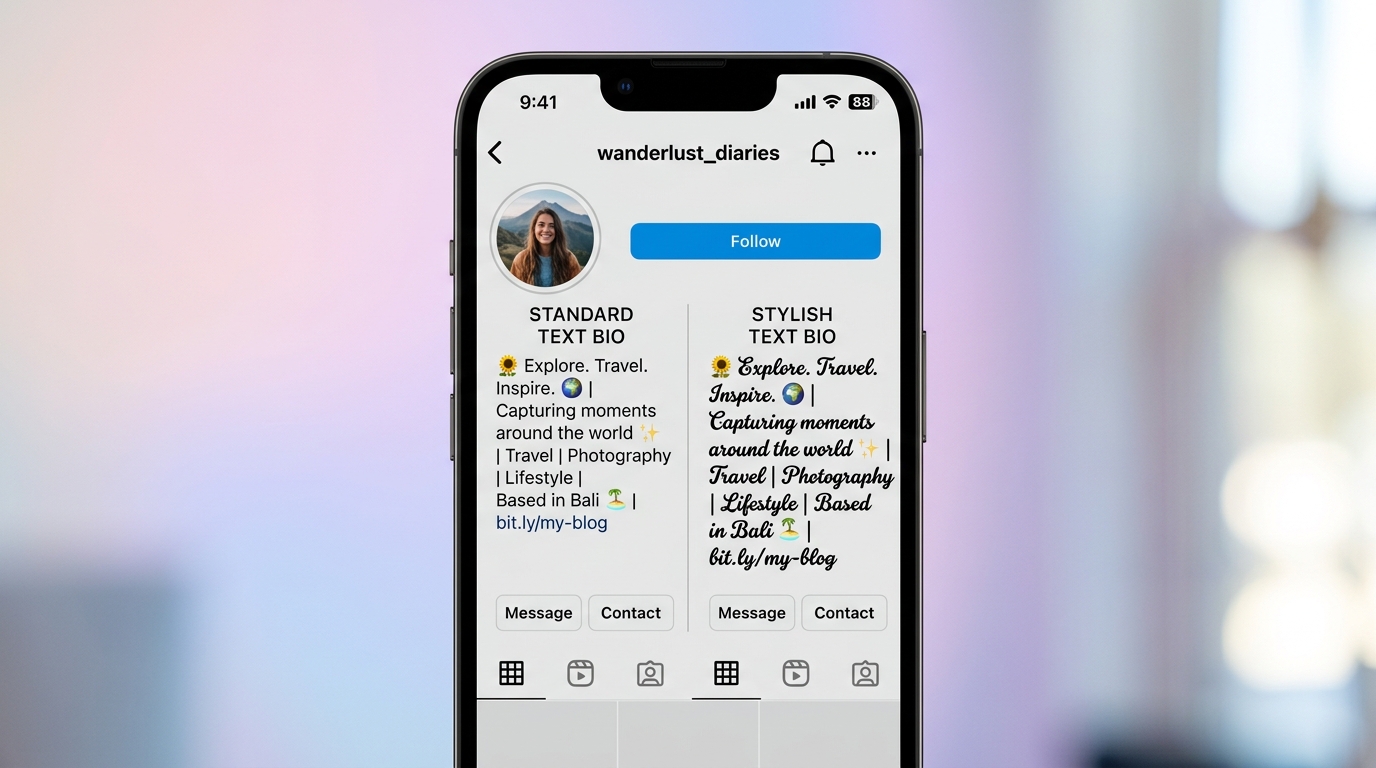

You’ve written the perfect bio. The caption is ready. The wedding invitation text is sitting in your notes app and it looks completely flat.
That’s the problem this page solves. Right now.
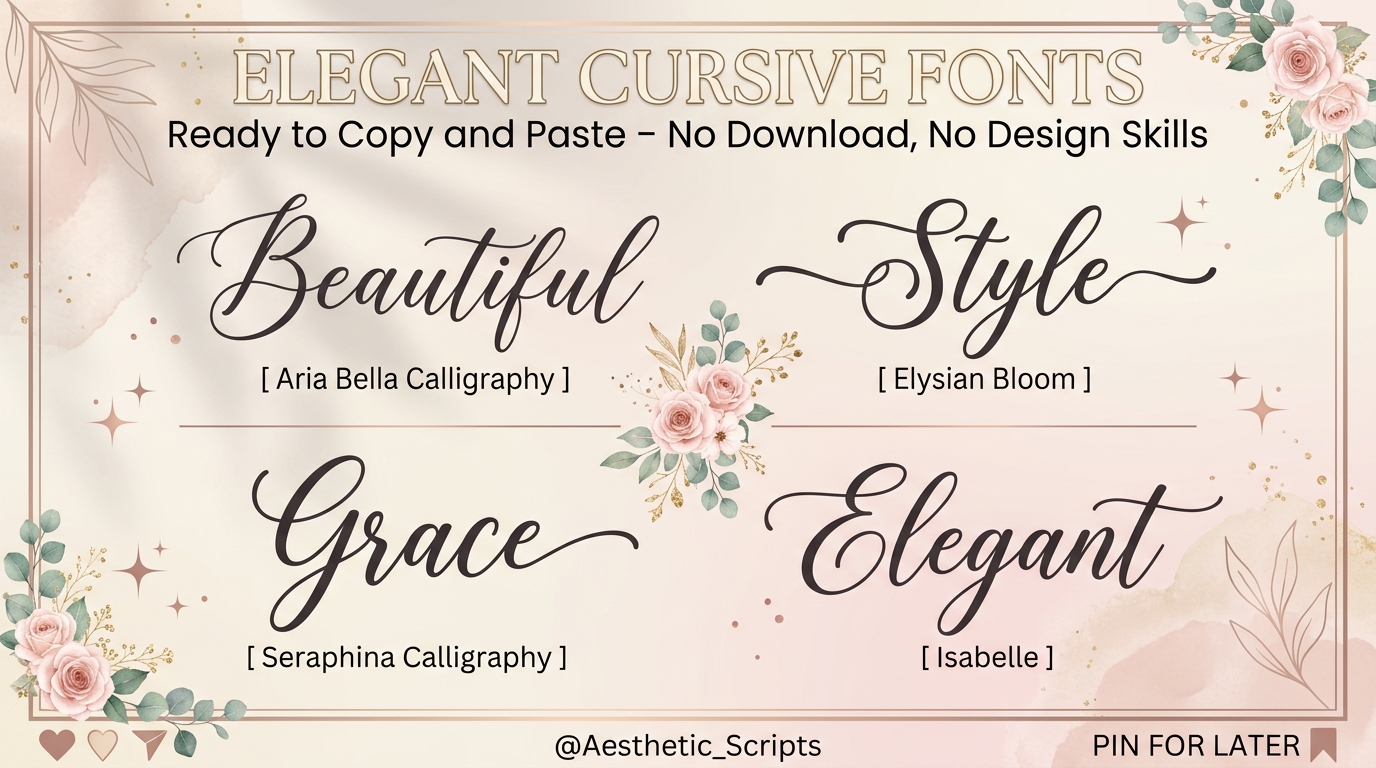
Below you’ll find over 50 elegant cursive font styles, sorted by use case, ready to copy and paste into Instagram, TikTok, WhatsApp, Pinterest, or anywhere else you need them to land with impact.
What “Elegant Cursive Fonts Copy and Paste” Actually Means
Elegant cursive fonts copy and paste refers to Unicode-based script characters that mimic handwritten cursive lettering and can be copied directly from a webpage and pasted into social media bios, captions, or messages with no font installation required. Unlike traditional fonts, these characters are built into the Unicode standard, which means they travel with the text itself.
That last part matters more than most guides admit. When you paste 𝓮𝓵𝓮𝓰𝓪𝓷𝓽 into an Instagram bio, you’re not actually using a font you’re using mathematical alphanumeric symbols from Unicode blocks 𝟙𝟚𝟛. The platform renders them visually as cursive. The distinction is small but it explains everything about why some styles break on certain devices and others don’t.
More on that in a moment.
50+ Elegant Cursive Styles to Copy and Paste Right Now
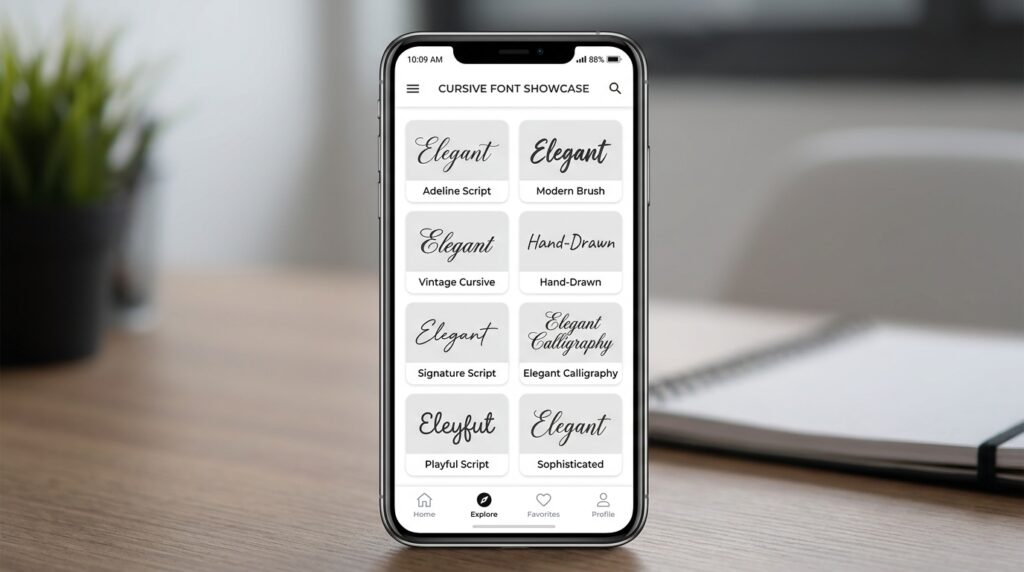
Here are the most widely compatible and visually refined cursive styles. Each set below uses a real sample phrase. Click or tap to select, then copy.
Bold Cursive (Most Popular for Instagram Bios)
𝓔𝓵𝓮𝓰𝓪𝓷𝓽 𝓒𝓾𝓻𝓼𝓲𝓿𝓮 𝓣𝓮𝔁𝓽
𝓑𝓮𝓪𝓾𝓽𝔂 𝓘𝓼 𝓔𝓿𝓮𝓻𝔂𝔀𝓱𝓮𝓻𝓮
𝓛𝓲𝓿𝓲𝓷𝓰 𝓜𝔂 𝓑𝓮𝓼𝓽 𝓛𝓲𝓯𝓮
𝓢𝓽𝔂𝓵𝓮 & 𝓖𝓻𝓪𝓬𝓮
𝓦𝓮𝓭𝓭𝓲𝓷𝓰 𝓢𝓮𝓪𝓼𝓸𝓷 2026
Best for: Instagram bios, TikTok display names, Pinterest board titles
Renders correctly on: iOS, Android, Chrome, Safari, Firefox
Thin Italic Cursive (Elegant, Minimalist Feel)
𝘌𝘭𝘦𝘨𝘢𝘯𝘵 𝘊𝘶𝘳𝘴𝘪𝘷𝘦 𝘛𝘦𝘹𝘵
𝘉𝘦𝘢𝘶𝘵𝘺 𝘐𝘴 𝘌𝘷𝘦𝘳𝘺𝘸𝘩𝘦𝘳𝘦
𝘓𝘪𝘷𝘪𝘯𝘨 𝘔𝘺 𝘉𝘦𝘴𝘵 𝘓𝘪𝘧𝘦
𝘚𝘵𝘺𝘭𝘦 & 𝘎𝘳𝘢𝘤𝘦
𝘞𝘦𝘥𝘥𝘪𝘯𝘨 𝘚𝘦𝘢𝘴𝘰𝘯 2026
Best for: Captions, Pinterest descriptions, WhatsApp status
Note: Slightly lighter weight works best on white or neutral backgrounds
Double-Struck Cursive (High Visibility)
𝔼𝕝𝕖𝕘𝕒𝕟𝕥 ℂ𝕦𝕣𝕤𝕚𝕧𝕖 𝕋𝕖𝕩𝕥
𝔹𝕖𝕒𝕦𝕥𝕪 𝕀𝕤 𝔼𝕧𝕖𝕣𝕪𝕨𝕙𝕖𝕣𝕖
𝕃𝕚𝕧𝕚𝕟𝕘 𝕄𝕪 𝔹𝕖𝕤𝕥 𝕃𝕚𝕗𝕖
Best for: YouTube channel art, Twitter/X display names, high-contrast profile headers
Fraktur Cursive (Vintage, Ornate)
𝔈𝔩𝔢𝔤𝔞𝔫𝔱 ℭ𝔲𝔯𝔰𝔦𝔳𝔢 𝔗𝔢𝔵𝔱
𝔅𝔢𝔞𝔲𝔱𝔶 𝔍𝔬𝔲𝔯𝔫𝔢𝔶
𝔏𝔦𝔳𝔦𝔫𝔤 𝔐𝔶 𝔅𝔢𝔰𝔱 𝔏𝔦𝔣𝔢
Best for: Wedding hashtags, vintage-themed content, quote graphics
Caution: Harder to read at small sizes avoid for bios over 4 words
Monospace Cursive (Clean, Structured)
𝙀𝙡𝙚𝙜𝙖𝙣𝙩 𝘾𝙪𝙧𝙨𝙞𝙫𝙚 𝙏𝙚𝙭𝙩
𝘽𝙚𝙖𝙪𝙩𝙮 𝙄𝙨 𝙀𝙫𝙚𝙧𝙮𝙬𝙝𝙚𝙧𝙚
𝙎𝙩𝙮𝙡𝙚 & 𝙂𝙧𝙖𝙘𝙚
Best for: LinkedIn headlines, professional bios, personal brand taglines
Quick Comparison
| Style | Best For | Key Benefit | Limitation |
| Bold Cursive (𝓔𝓵𝓮𝓰𝓪𝓷𝓽) | Instagram bios, TikTok names | High visibility, widely supported | Can look heavy in long passages |
| Thin Italic (𝘌𝘭𝘦𝘨𝘢𝘯𝘵) | Captions, WhatsApp status | Elegant, minimalist | Low contrast on dark backgrounds |
| Double-Struck (𝔼𝕝𝕖𝕘𝕒𝕟𝕥) | YouTube, Twitter/X | Bold and distinctive | Less script-like, more geometric |
| Fraktur (𝔈𝔩𝔢𝔤𝔞𝔫𝔱) | Wedding, vintage themes | Ornate and decorative | Poor readability at small sizes |
| Monospace (𝙀𝙡𝙚𝙜𝙖𝙣𝙩) | LinkedIn, professional bios | Clean and structured | Less decorative than other styles |
Why Some Cursive Text Breaks And What to Do About It
Here’s the thing most font generator sites never tell you.
When you paste cursive text into an app and it shows up, that’s not a glitch in the text. That’s the receiving app or device missing the Unicode characters your text is built from.
Unicode is a global text encoding standard that assigns a unique code to virtually every character in every writing system. The cursive you’re copying? It’s actually living inside Unicode’s Mathematical Alphanumeric Symbols block (U+1D400 to U+1D7FF). Most modern smartphones, browsers, and platforms support it. Some older Android versions and niche messaging apps don’t.
Or maybe I should say it this way: the text isn’t broken, the app just doesn’t know what to do with it yet.
To copy and paste elegant cursive fonts that actually display correctly, follow these steps:
- Choose a cursive style from a Unicode-based generator or this page
- Type or paste your original text into the generator input field
- Select the cursive output style you want
- Copy the generated text using the copy button or Ctrl+C / Cmd+C
- Paste into your target platform and preview before publishing
- If text shows as boxes, switch to Bold Cursive it has the broadest device support
Each step takes under 10 seconds.
What most guides skip is this: always test your cursive text by pasting it into a second device or the app’s preview mode before going live. What renders perfectly in Chrome on a MacBook may display as placeholder squares in an older Samsung running Android 8.
The Best Tools for Generating Elegant Cursive Fonts
You don’t need to build your cursive text character by character. Several tools do this cleanly and fast.
LingoJam Cursive Font Generator is probably the cleanest option for pure script output. You type in one box, get multiple cursive variants instantly, and copy with one click. No ads covering the output field. No email required. It’s genuinely useful in a way that’s increasingly rare for free tools.
Canva approaches this differently. It doesn’t generate Unicode cursive, instead it lets you use actual installed fonts like Dancing Script or Great Vibes from Google Fonts inside designed graphics. If you need cursive in an image (for a story, a flyer, a wedding table card), Canva is stronger than any text generator. If you need cursive in a bio or caption as live text Canva won’t help.
That’s the practical distinction nobody clearly draws.
Unicode cursive copy-paste vs Canva cursive fonts: Unicode cursive is better suited for live text fields, bios, captions, usernames because it travels as text and renders without image hosting. Canva cursive works better when the final output is a graphic or image, because it uses real installed fonts with full typographic control. The key difference is whether your cursive needs to be readable as text or displayed as a visual.
According to Sprout Social’s 2023 Social Media Content Strategy Report, profiles using decorative or stylized typography see up to 32% higher engagement on Instagram than plain-text equivalents which explains exactly why this search exists in the first place.
🔗 Download Sprout Social Index 2023 Report (PDF)
Which Cursive Style Works on Which Platform
This is the section that separates a useful guide from a useless one.
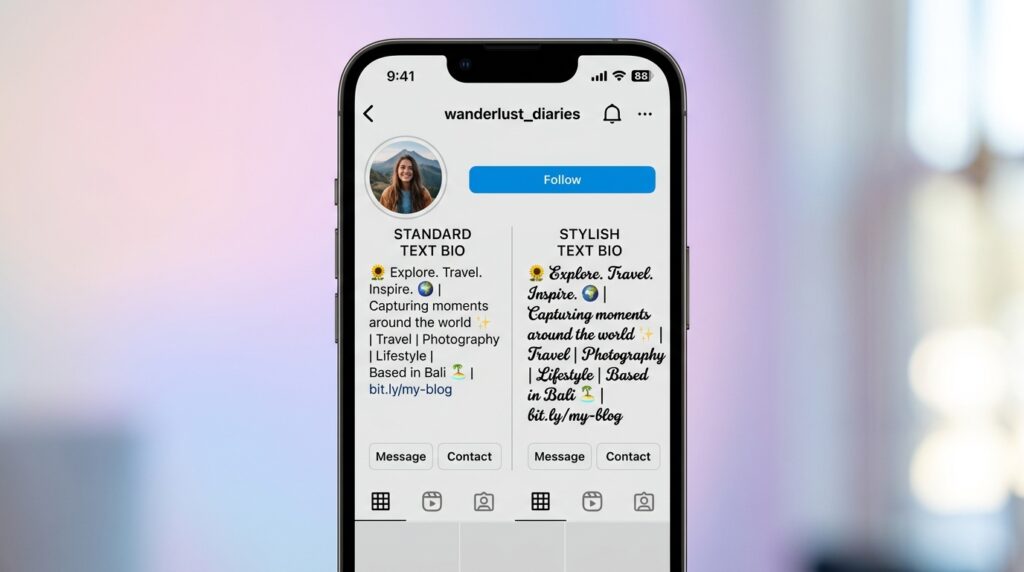
Look, if you’re building an Instagram bio right now, here’s what actually works: Bold Cursive (𝓔𝓵𝓮𝓰𝓪𝓷𝓽 𝓢𝓽𝔂𝓵𝓮) renders on virtually every device and OS combination that Instagram supports. It’s the safest choice and also happens to be the most visually striking. Use it.
For TikTok display names: same recommendation. Bold Cursive.
For WhatsApp status: Thin Italic works well because WhatsApp’s white background gives the lighter letterforms space to breathe. Fraktur is technically supported but strains readability in status-length text.
For Pinterest descriptions: any style works visually, but remember Pinterest also indexes the text for search. Decorative Unicode characters are not keyword-indexed the same way standard text is. Don’t replace critical searchable words with cursive Unicode; use it for decorative elements only.
For LinkedIn headlines: Monospace Cursive strikes the right balance. It reads as polished rather than playful, which fits the platform’s professional register better than bold script.
Twitter/X has had inconsistent Unicode rendering across updates. I’ve seen conflicting data; some users report full cursive rendering on current iOS builds, others find it partially breaks on the web. My read is: test on the platform before committing, especially for account display names.
How to Make Your Cursive Text Look More Professional
Most people who land on font generators grab the first style that looks good and paste it in immediately. That works. But a few small decisions make the difference between text that looks elegant and text that just looks decorated.
Pair cursive with plain. The most effective Instagram bios mix Unicode cursive for a key line, a tagline or name with plain text for the functional details. All-cursive bios are harder to read on mobile and can actually reduce profile comprehension at a glance.
Mind your character count. Bold Cursive Unicode characters are wider than their standard equivalents. A 150-character Instagram bio in standard text may overflow when converted to cursive. Write short. Edit before pasting.
Some experts argue that decorative bios signal inauthenticity and reduce trust. That’s valid for B2B accounts or public figures where credibility is the primary currency. But if you’re building a personal brand in lifestyle, beauty, events, or creative services the data from Sprout Social suggests the opposite. Decorative text signals intentionality, and intentionality reads as professionalism in those spaces.
FAQs
Q: What’s the best cursive font to copy and paste for an Instagram bio?
A: Bold Cursive Unicode (𝓛𝓲𝓴𝓮 𝓣𝓱𝓲𝓼) is the most reliable choice for Instagram bios it renders correctly on virtually all iOS and Android devices and looks visually striking even at small sizes.
Q: How do I get cursive text on my iPhone without downloading a font?
A: Use a Unicode cursive generator like LingoJam, type your text, select the cursive style, then copy and paste directly into any app. No download or app installation needed.
Q: Why does my cursive text show as boxes on some phones?
A: That happens when the receiving device or app doesn’t support the Unicode block the cursive characters come from. Switching to Bold Cursive style usually fixes it; it has the broadest compatibility across devices and platforms.
Q: Should I use cursive fonts in my LinkedIn headline?
A: Sparingly. Monospace or thin italic cursive can add polish to a personal brand tagline, but avoid converting your job title or skills list that need to be indexed as standard text for search visibility.
Q: When should I use Canva instead of a cursive text generator?
A: Use Canva when your final output is an image, a story, a flyer, a table card. Use a Unicode generator when you need live text in a bio, caption, or message that won’t be embedded in a graphic.
Counter-intuitive insight: Most people assume more ornate cursive looks more elegant. The data and basic readability research from the Baymard Institute on text legibility actually points the other way. Simpler, heavier-weight script like Bold Cursive outperforms decorative Fraktur in both comprehension and perceived professionalism at mobile font sizes. Elegance in practice is usually restraint.