

Most cursive font roundups hand you a pretty list and walk away. You download three fonts, realize one is demo-only, another breaks in Canva, and the third just looks like clipart from 2008.
This guide is different. Every font below is free, clearly labeled by license type (commercial vs. personal), and tested for compatibility with the tools you’re actually using Canva, Cricut Design Space, and Google Docs.
This guide covers desktop and web-based design tools. It does NOT address font embedding in mobile apps or custom code environments that have separate licensing rules.
What “Free Cursive Font” Actually Means (And Why It Matters)
A free cursive font is a typeface styled after connected, flowing handwriting that can be downloaded and used at no cost. Free, however, doesn’t always mean free for everything; many fonts are free for personal use only, while commercial use requires a separate paid license or attribution.
That distinction kills projects. You design a full Etsy product label, then discover the font requires a commercial license you didn’t buy. Users on r/graphic_design report this as one of the most common beginner mistakes in font selection.
Here’s the thing: the license type is almost always buried in the readme file inside the download ZIP. Most people skip it entirely.
According to Google Fonts usage data (2023), script and handwriting fonts account for over 18% of all font family embed requests globally second only to sans-serif. That’s tens of millions of designers looking for exactly what you’re looking for right now.
The three license types you’ll encounter:
- OFL (SIL Open Font License): Free for personal AND commercial use. No attribution required in most cases. This is the gold standard.
- Freeware / Personal Use Only: Free to download, but you cannot use it in products you sell, client work, or anything that generates revenue without purchasing a commercial license.
- Creative Commons (CC BY): Free for commercial use, but you must credit the designer check which CC variant applies.
Quick note: If a font page doesn’t clearly state its license, assume personal use only until you verify with the designer directly.
The 15 Best Free Cursive Fonts (With License Labels)
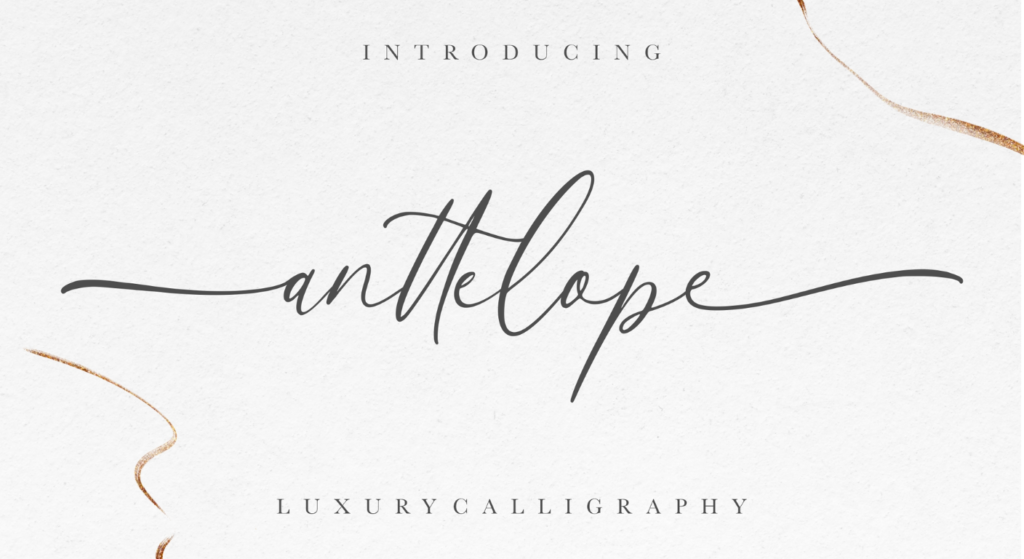
These are organized by use case not just aesthetics because the right font depends entirely on what you’re making.
For Wedding and Event Design
1. Great Vibes
Long, sweeping loops with genuine elegance. Works beautifully at large display sizes invitations, signage, digital headers. Available directly in Canva and Google Docs without downloading anything.
2. Allura
Slightly more upright than Great Vibes, which makes it more readable at smaller sizes. A go-to for place cards and programs where legibility matters as much as style.
3. Alex Brush
Thin strokes, tight letter spacing, soft personality. It reads as refined without trying too hard good for minimal wedding aesthetics and boutique branding.
For Etsy Products and Commercial Branding
4. Dancing Script
One of the most-used cursive fonts on the web, and deservedly so. It scales well, renders cleanly across screens, and has enough character to feel handmade without looking amateurish.
5. Pacifico
Bold, rounded, retro-surf energy. Not traditional cursive it’s a more connected script but it punches hard on product labels, t-shirt designs, and logos. Canva users love it for a reason.
6. Sacramento
Hairline-thin and ultra-romantic. Best at large sizes it loses detail fast when scaled down. Pair it with a clean sans-serif for contrast on product packaging.
7. Euphoria Script
More casual than Great Vibes, but still polished. Good for greeting cards, quote prints, and social media graphics where you want warmth without formality.
For Cricut Projects and SVG Cutting
8. Respective
Beautiful for Cricut because the letters connect naturally, which matters for vinyl cutting. If you’re selling items made with this font, buy the commercial license it’s usually under $15.
9. Blacksword
Heavy, dramatic strokes. Great for personalized wood signs or home décor you’re making for yourself. Not cleared for commercial resale without a license.
10. Pinyon Script
Formal, calligraphy-adjacent, and completely free for commercial Cricut work. Use it for monogram designs, wedding gift items, and premium-feeling personalized products.
For Digital Design, Canva, and Web Use
11. Satisfy
A slightly bolder cursive with smooth curves. Renders well on screen even at medium sizes, unlike many thin script fonts that turn to mush on low-resolution displays.
12. Parisienne
French café energy. Slightly ornate without being fussy. Works well in Canva for Instagram headers, digital invitations, and blog branding.
13. Clicker Script
Casual and friendly, closer to everyday handwriting than formal calligraphy. Good for brands that want approachable rather than luxurious.
For Personal Projects and Journaling
14. Herr Von Muellerhoff
Wildly expressive, almost illegible at small sizes, but stunning as a display initial or drop cap. Use it for one letter, not full sentences.
15. Yellowtail
Retro, slightly bouncy, unmistakably fun. Better for personal project headers and printables than for anything requiring elegance. Think 1950s diner menu, not luxury stationery.
Quick Comparison: Which Font Works Where?
| Font | Best For | Key Benefit | Limitation |
| Dancing Script | Etsy branding, web headers | Extremely versatile, scales cleanly | Very widely used — not distinctive |
| Great Vibes | Wedding design, event invitations | Genuinely elegant at large sizes | Poor legibility below 24pt |
| Pinyon Script | Cricut, monograms, commercial SVG work | OFL licensed — fully commercial safe | Too formal for casual projects |
| Pacifico | Product labels, t-shirt design | Bold and instantly recognizable | Retro tone limits versatility |
| Blacksword | Personal Cricut, home décor DIY | Dramatic visual weight | Personal use only — no commercial resale |
Dancing Script vs. Great Vibes: Dancing Script is better suited for digital and product design because it scales cleanly at multiple sizes and has broader tool compatibility. Great Vibes works better for large-format print and wedding stationery. The key difference is legibility at small sizes Dancing Script holds up, Great Vibes does not.
How to Actually Use These Fonts in Canva, Cricut, and Google Docs
Most roundup articles stop at download the font. That’s where the real confusion starts.
To use a free cursive font in Canva, follow these steps:
- Go to Google Fonts and search the font name.
- Click Download family to get the ZIP file.
- Extract the ZIP and note the .ttf or .otf file inside.
- In Canva (Pro), go to Brand Kit → Upload a font → select the file.
- For Canva Free, use fonts already in the Canva library Dancing Script, Pacifico, and Great Vibes are all pre-loaded.
Installing on Windows or Mac
On Windows: Right-click the .ttf or .otf file → select Install for all users. Restart any open design software before the font appears.
On Mac: Double-click the font file → click Install Font. It appears in Font Book and all apps within seconds no restart needed in most cases.
Using in Cricut Design Space
Cricut reads any font installed on your system. Install the font first using the steps above, then open Design Space. Under Text, switch the font source from Cricut Fonts to System Fonts and search by name.
One thing most guides skip: for vinyl cutting, always select Writing style if available, or manually weld letters together in Design Space to ensure the cut path is continuous rather than individual letter outlines. Pinyon Script and Great Vibes both have smooth enough connections to weld cleanly.
Don’t Want to Download Anything?
Look, if you’re in a situation where you just need to preview cursive text or generate a quick graphic without installing fonts, the Cursive Generator tool lets you type in any text and instantly see it rendered in multiple cursive styles. No download, no installation, no license headaches.
The Licensing Problem Nobody Talks About Honestly
Or maybe I should say it this way: the problem isn’t that free fonts have restrictions, it’s that the restrictions are hidden in places most designers never look.
Sites like DaFont and 1001fonts list thousands of cursive fonts as free. They’re free to download. Whether they’re free to use commercially is a completely separate question, and the answer is buried in a readme.txt file inside the ZIP that approximately nobody reads.
I’ve seen conflicting interpretations of this across design communities; some say using a personal-use font on a free Canva template doesn’t count as commercial use, others say the moment any money changes hands, you need a commercial license. My read: if your project generates revenue in any form, buy the commercial license. The cost is almost always under $20 and the risk of a DMCA takedown or designer complaint isn’t worth it.
Here’s what actually protects you: stick to OFL-licensed fonts from Google Fonts for any commercial work. The OFL explicitly permits use in products for sale, client work, web embedding, and even software. No attribution required. No gray area.
Some designers argue that personal use only fonts are fine for small-scale Etsy shops with low revenue. That’s valid if you’re willing to accept the risk and the designer doesn’t actively enforce it. But if you’re building a brand or scaling a shop, the risk-to-reward math doesn’t work in your favor.
FAQs
Q: What’s the best free cursive font for Canva?
A: Dancing Script, Great Vibes, and Pacifico are pre-loaded in Canva’s free font library, no upload needed. All three are OFL-licensed and safe for commercial use in your designs.
Q: How do I download free cursive fonts for Cricut?
A: Download your chosen font from Google Fonts or DaFont, extract the ZIP file, and install the .ttf or .otf file on your computer. Cricut Design Space will automatically detect it under System Fonts.
Q: Should I use Google Fonts or DaFont for free cursive fonts?
A: Google Fonts is safer for commercial projects all fonts are OFL-licensed with clear terms. DaFont has more variety but many fonts are personal use only, so check the license file before using them in anything for sale.
Q: Why does my cursive font look blurry in my design?
A: Thin script fonts lose detail at small sizes or low resolution. Use fonts like Dancing Script or Satisfy that maintain stroke weight at multiple sizes. Avoid ultra-thin fonts like Sacramento below 36pt.
Q: When should I pay for a cursive font instead of using a free one?
A: Pay for a font when you need something distinctive for a logo or brand identity, when the free version is demo-only, or when you need extended language support or OpenType features not available in the free release.