
Font Generator: 120+ Free Text Styles to Copy and Paste
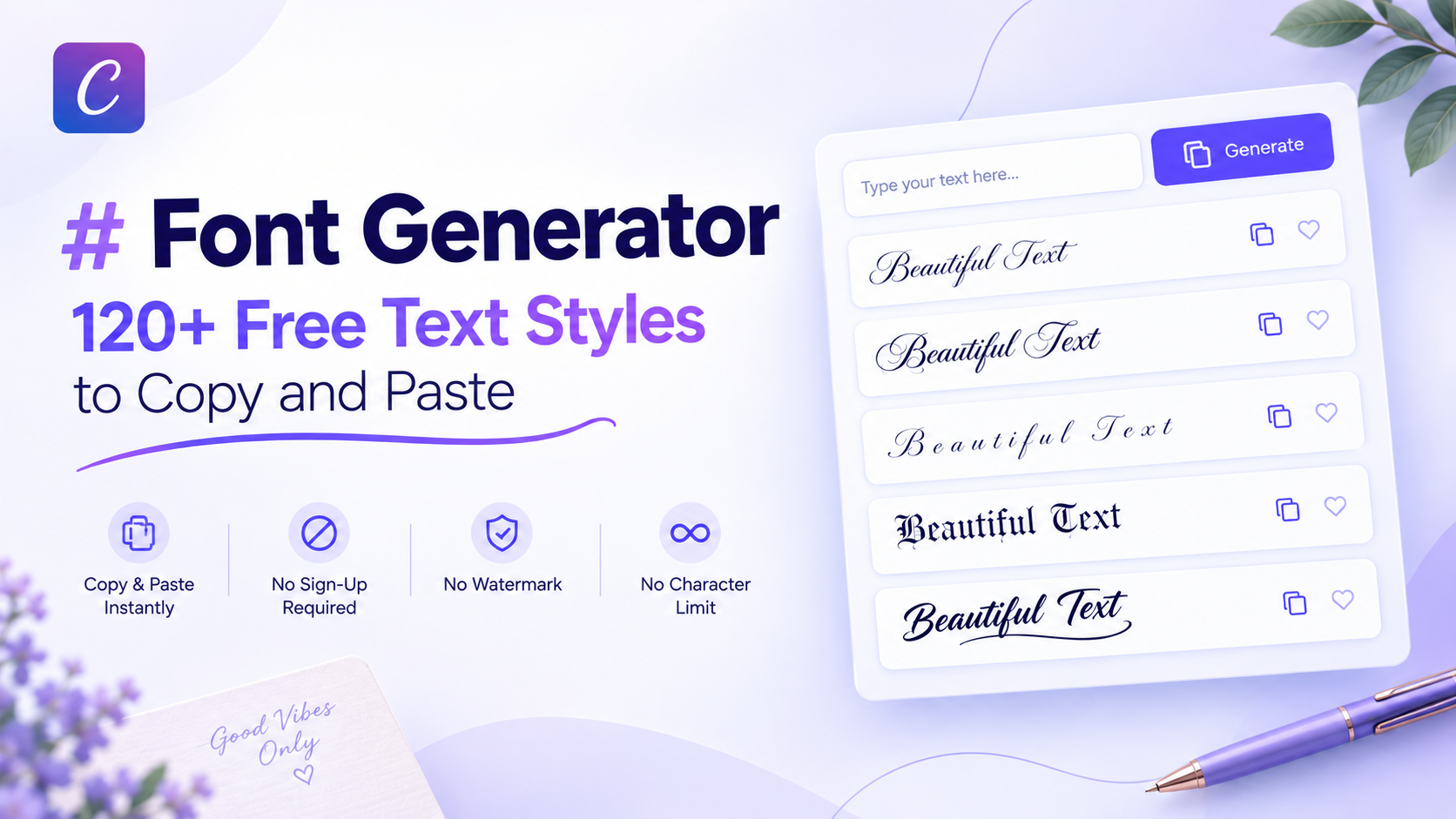
Type a word into this font generator and it instantly shows that word in more than 120 different text styles (cursive, bold, gothic, aesthetic, gaming, and decorative) ready to copy and paste into Instagram, TikTok, Discord, or almost any app that accepts text. It's free, there's no sign-up, and nothing needs to be installed.
The rest of this page covers what these styles actually are, how the 120+ styles are organized into categories, how to use the tool, where the styles will and won't display correctly, and how to pick the right style for the platform you're posting to.
What This Font Generator Actually Does
This tool doesn't create new fonts. It maps the letters you type to Unicode characters that already exist in the Unicode Standard, a shared character list every modern device and browser understands. Each style (bold, cursive, gothic, and so on) has its own mathematical or symbolic character set already sitting inside Unicode. The generator just swaps your regular letters for the matching set.
That's why the output can be copied and pasted as real, selectable text; it's not an image. It's also why nothing downloads: there's no font file being installed on your device, and no font gets added to your system's font list.
120+ Styles, Organized Into 30+ Categories
Instead of one long, unsorted list, styles here are grouped into over 30 categories, so a specific type of style can be found without scrolling past everything else. Categories include:
| Category | What It Covers |
|---|---|
| Cursive and script | Flowing, handwriting-style Unicode letters |
| Elegant and calligraphy | Formal, ornamental letterforms |
| Bold and italic | Unicode mathematical bold/italic sets |
| Gothic and medieval | Blackletter-style characters |
| Gaming and glitch | Styles built for usernames, including glitch/blocky effects like Cyber Glitch |
| Aesthetic and decorative | Styles bracketed with symbols such as sparkles, leaves, or wings, like Ethereal Wings or Lush Garden |
| VIP, royal, and love | Themed styles for bios and profiles |
| Minimal | Small caps, superscript, and monospace-style sets |
A search bar filters all 120+ styles by keyword, and category pills (All, Cursive, Elegant, Bold, Italic, Gaming, VIP, Love, Royal, Decorative, Minimal, Aesthetic, and more) narrow the list without needing to know an exact style name in advance. A few examples across different categories:
| Style | What It Looks Like |
|---|---|
| Premium Aura and Divine Spirit | Cursive-style, handwriting-like letters bracketed with decorative symbols (sparkles, leaves, birds) |
| Cyber Glitch | Blocky, glitch-style characters instead of flowing script, built for gaming names |
| Dark Monarch and Ethereal Wings | Bold, ornate variants that lean aesthetic rather than legible-cursive |
| Lush Garden | Nature-themed decorative bracketing paired with a softer script |
If it's specifically flowing, handwriting-style cursive you want rather than the decorative or gaming variants, the cursive text generator narrows the full list down to just those. If you're after a broader look (moodboard-style aesthetics like cottagecore or dark academia), the aesthetic font generator groups styles by vibe instead of by letterform.
Built for Specific Situations
Beyond general text styling, there's a cursive name generator for styling a single name on its own, and a cursive signature generator for something that reads more like a personal signature than a full sentence. Want more decorative or symbol-based options instead of letterforms? The site's broader fancy text generator covers those separately.
How to Use the Font Generator
Type or paste text into the input box (up to 500 characters).
Every style updates its preview at the same time, each shown as its own card with the style name, its category tag, and a live preview using your text.
Tap Copy on any card to copy that exact styled version.
Paste it into the bio, caption, username, or message field it's going to.
There's a Clear button to reset the input and start over, and the search bar stays active the whole time, so switching between "gaming" and "aesthetic" styles doesn't require retyping the text.
Font Generator vs Downloadable Fonts: They're Not the Same Tool
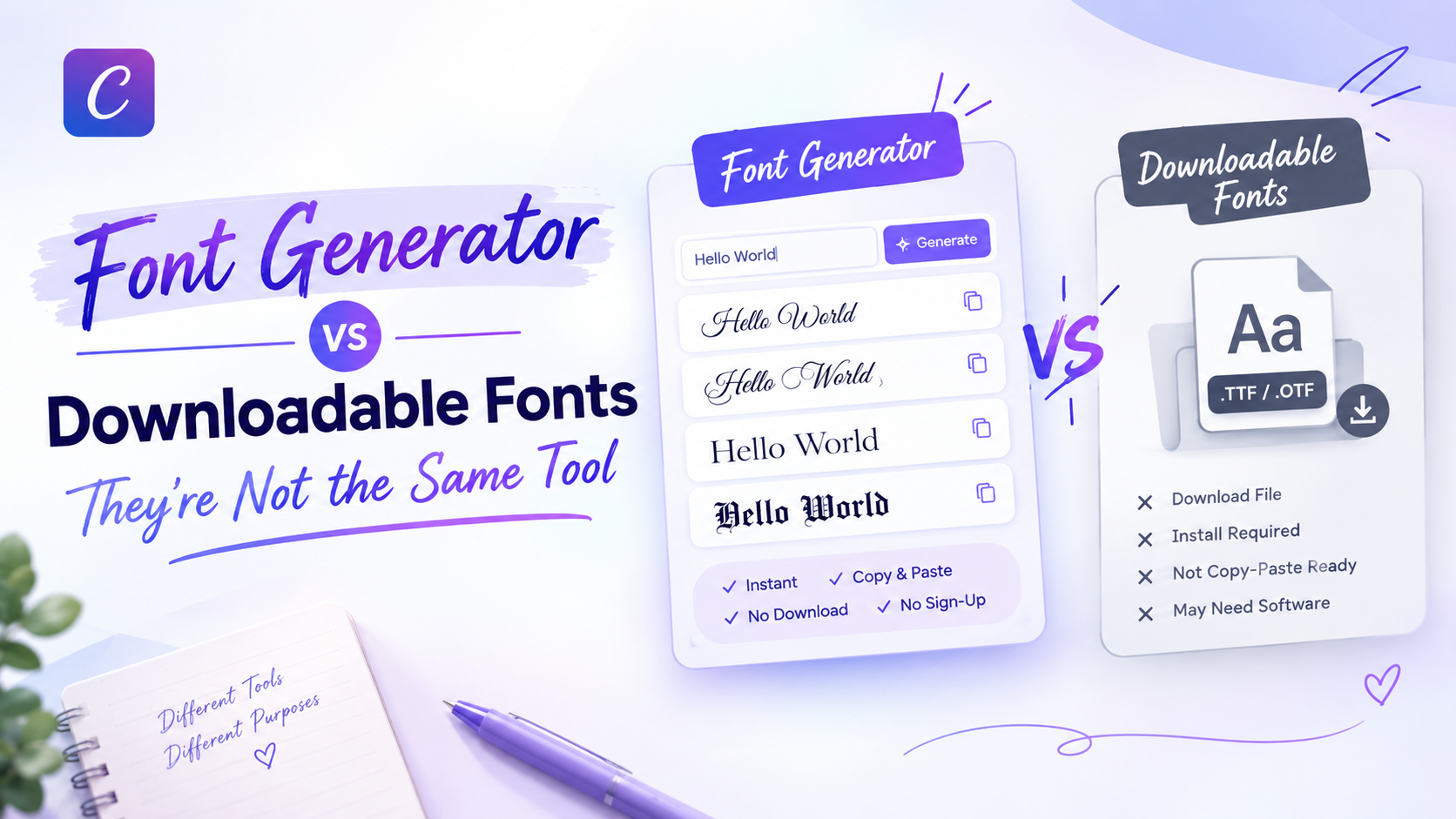
A lot of sites that call themselves "font generators" actually mix two different things on one page: real, licensed font files (.ttf/.otf) that get installed on a computer, and copy-paste Unicode text that works instantly in any app. That mix can be confusing, because the two behave completely differently: one needs installation and only works in software that has that font installed; the other works the moment it's pasted, anywhere.
This tool only does the second kind. There are no font files here, nothing to download, and no license to manage. Every style is copy-paste text from the first click.
Where These Styles Work (and Where They Don't)
Because the output is standard Unicode, it displays correctly on almost every current app, browser, and device: Instagram, TikTok, Discord, WhatsApp, Facebook, Twitter/X, email, and most messaging apps all render it as expected.
There are two honest exceptions worth knowing before pasting:
- Very old devices or browsers may not have the fallback fonts needed to render every character, showing a small box or question mark instead of the intended letter.
- Roblox usernames specifically enforce a strict, limited character set, so most styled Unicode text won't display there, a caveat most font generator sites don't mention at all.
Outside of those two cases, styled text pasted from here will look the same for the person reading it as it did in the preview.
Choosing the Right Style for Your Platform
Different platforms tend to suit different categories. A flowing, handwriting-style pick works well for an Instagram bio or a wedding invitation, the same styles used by the cursive text generator on this site. A more formal, ornamental look, closer to what the calligraphy font generator produces, fits event invitations or signatures better than a casual caption. For a darker, edgier profile or gaming tag, the blackletter-style sets from the gothic font generator tend to stand out more than a plain bold style.
There's no single "best" style; it depends on the platform's tone and, in Roblox's case, its character restrictions.
FAQs
What is a fancy text generator?
What is Unicode font?
Why does copy-paste fancy text work on every app?
What are the best free Unicode font generators?
How do I create custom text using a Unicode font generator?
Can I use cursive text in Word or Google Docs?
Try It Now
All 120+ styles on this page are generated live from the Cursive Generator homepage tool: type a word there once and copy any category's style instantly, free and without an account.
🚀 Go to the Generator