
Fancy Text Generator : 190+ Copy and Paste Text Styles
Type your text once to preview over 190 unique Unicode decorative styles and symbols, then copy and paste anywhere: Instagram, TikTok, Discord, WhatsApp, and gaming handles.
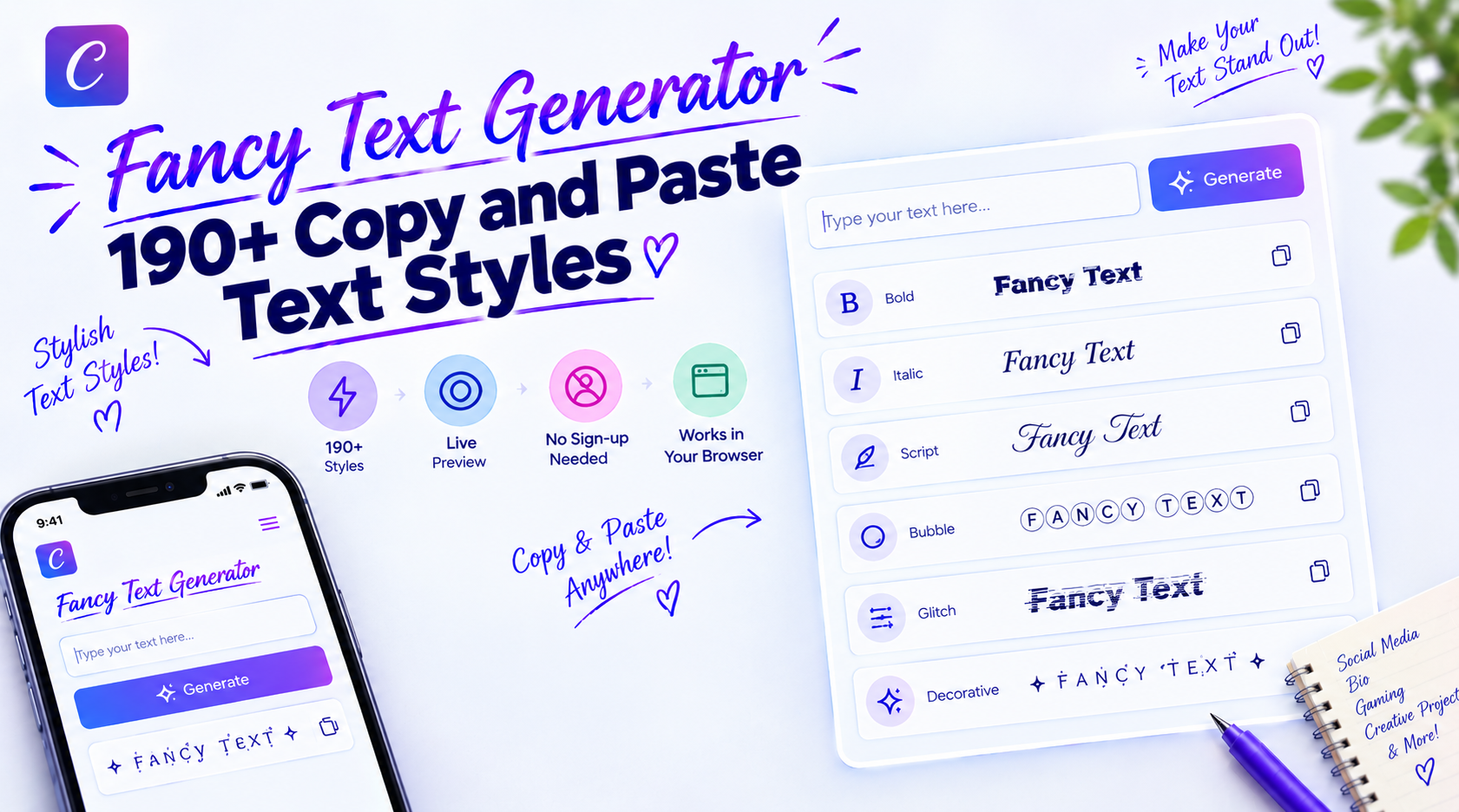
A fancy text generator is a free browser tool that turns plain keyboard words into decorative Unicode characters and symbol-bracketed designs. It does not install software or download font files. It maps standard Latin letters to distinct visual characters established in the international Unicode standard.
This page operates as your central hub for decorative, aesthetic, and symbol-framed text styles. Type your words once into the interactive box above to preview and copy over 190 custom designs instantly.
What This Fancy Text Generator Actually Does
When you enter words into the tool, it does not create an image file. It runs entirely inside your web browser using local client-side JavaScript to swap regular ASCII letters for matching decorative characters.
Smartphones and computers understand letters using an international standard called Unicode. Alongside ordinary alphabet characters, Unicode contains thousands of special symbols: mathematical bold letters, small circles, decorative frames, stars, arrows, and flourishes.
Because modern operating systems support these universal characters natively, your converted text displays cleanly on destination apps. What you copy remains selectable, searchable, and editable text that travels across platforms.
Symbol Bracketed: ✨ 𝓕𝓪𝓷𝓬𝔂 𝓣𝓮𝔁𝓽 𝓖𝓮𝓷𝓮𝓻𝓪𝓽𝓸𝓻 ✨
Enclosed Circles: Ⓕⓐⓝⓒⓨ Ⓣⓔⓧⓣ Ⓖⓔⓝⓔⓡⓐⓣⓞⓡ
Gamer Strikethrough: F̶a̶n̶c̶y̶ ̶T̶e̶x̶t̶ ̶G̶e̶n̶e̶r̶a̶t̶o̶r̶
To explore how character libraries and alphabets are mapped across technical Unicode blocks, explore our Unicode font generator hub.
Fancy Text vs Real Fonts vs Image Text
Understanding how fancy text differs from downloadable fonts and images helps you select the correct format for your project:
| Attribute | Unicode Fancy Text | Installable Fonts (.TTF / .OTF) | Rendered Graphic Text (.PNG) |
|---|---|---|---|
| Installation | Zero installation required | Requires local system install | No install; saved as graphic |
| Copy and Paste | Yes, anywhere | No, desktop only | No, image upload only |
| Searchable Text | Yes, indexed as text | Yes, standard text | No, requires OCR |
| Ideal Use Case | Social bios, chat nicknames, posts | Print design, documents, websites | Banners, logos, thumbnail graphics |
How These Styles Were Checked
All 192 styles are generated from documented Unicode code points and rendered in Chrome on Windows 11. Per-platform testing on Instagram, TikTok, Discord and WhatsApp is in progress, and this section will be updated with device-by-device results once completed.
Last updated: October 2026
190+ Decorative Styles Across Multiple Categories
Rather than presenting an unorganized wall of random designs, our tool organizes styles into clear, browseable categories:
- Aesthetic and Ornamental Framing: Delicate lettering bordered by nature icons, stars, and flourishes. Popular options include Premium Aura, Divine Spirit, and Lush Garden.
- Symbol and Wing Accents: Letters framed by symmetrical flourishes and wings like Ethereal Wings for eye-catching bio headers.
- Gaming and Glitch Effects: High-contrast styles featuring digital strikethrough marks and combat emblems like Cyber Glitch and Dragon Slayer.
- Royal and Dark Court: Majestic crowns, fleur-de-lis crests, and blackletter Gothic combinations like Dark Monarch.
- Enclosed Letters and Circles: Clean characters tucked inside tidy circles, dark boxes, and parenthetical frames.
- Minimalist and Monospace: Compact small caps, clean dot dividers, and spaced-out monospace lettering for clean captions.
Looking for Specific Letterform Styles?
Looking for pure cursive without symbols? Head over to our dedicated flowing cursive text generator.
Want dark, medieval, manuscript-style lettering instead? Explore our gothic font generator. Both offer focused tools designed specifically for those alphabets.
Top 10 Ready-to-Copy Bio and Gaming Presets
Copy and paste these pre-formatted styles directly into your social bios, status updates, or gaming clan tags:
| Category / Tone | Visual Preset Template | Recommended Application |
|---|---|---|
| Aesthetic Aura | ˗ˏˋ ★ 𝒩𝒶𝓂𝑒 ★ ˎˊ˗ |
Instagram bio header or personal quote |
| Ethereal Wings | 𓆩♡𓆪 𝒴𝑜𝓊𝓇 𝒯𝑒𝓍𝓉 𓆩♡𓆪 |
TikTok display name or bio accent |
| Floral Garden | 🌸 𝒞𝒽𝒶𝓇𝓂𝒾𝓃𝑔 🌸 |
Lifestyle captions and Pinterest boards |
| Celestial Star | ✦ 𝒟𝒾𝓋𝒾𝓃𝑒 𝒮𝓅𝒾𝓇𝒾𝓉 ✦ |
Aesthetic personal branding or signature |
| Clan Champion | ꧁༺ ₦Ї₦ℑ₳ ༻꧂ |
Free Fire or PUBG player nickname (IGN) |
| Cyber Warrior | ⚔ 𝕯𝖆𝖗𝖐 𝕸𝖔𝖓𝖆𝖗𝖈𝖍 ⚔ |
Discord server nickname or gaming clan tag |
| Cyber Glitch | D̶r̶a̶g̶o̶n̶ ̶S̶l̶a̶y̶e̶r̶ |
High-impact social comment highlight |
| Clean Circle | Ⓟⓡⓞⓕⓘⓛⓔ |
Business bio category or clean link label |
| Subtle Small Caps | ᴀ ᴇ s ᴛ ʜ ᴇ ᴛ ɪ ᴄ |
Minimalist photography and portfolio captions |
| Vintage Frame | 『 𝒮𝓉𝓎𝓁𝒾𝓈𝒽 』 |
Highlighted quote or story announcement |
How to Use the Fancy Text Generator
Styling your text takes just four simple steps:
- Enter Your Text: Type or paste your message (up to 500 characters) into the main input box at the top of the page. All style cards update in real time as you type.
- Filter by Category: Tap any category pill (Aesthetic, Gaming, Symbol, Minimalist) to filter results according to your preferred vibe.
- Copy Your Style: Click the Copy button on the card you like. The formatted text copies directly to your clipboard.
- Paste Anywhere: Open your target app and paste your text. Use
Ctrl+Von Windows,Cmd+Von Mac, or tap and hold on mobile.
Clicking the Clear button resets the input box and restores default style previews instantly.
Step-by-Step Instructions for Social Media
How to Update an Instagram Bio
- Copy your favorite style from our generator above.
- Open Instagram and go to your profile screen.
- Tap Edit Profile.
- Paste the styled text into the Bio field (avoid the Username field).
- Tap the checkmark to save your changes.
How to Style a TikTok Display Name or Bio
- Copy your styled phrase.
- Open TikTok, tap Profile, and select Edit Profile.
- To change your video title name, paste into Name.
- To add flair under your picture, paste into Bio (under 80 characters).
- Tap Save.
How to Set a Discord Nickname or About Me
- Copy your gamer tag or bio line.
- For your account profile, go to User Settings → Profiles → About Me, paste your text, and click Save Changes. Standard Markdown syntax can also be combined with styled Unicode characters here.
- For a single server, right-click the server name, select Edit Server Profile, paste into Server Nickname, and save.
How to Update WhatsApp Status
- Generate and copy your styled quote or status line.
- Open WhatsApp and tap the Updates tab.
- Tap the pencil icon next to Status, paste your text, and tap send.
The Three Ways Fancy Text Works
Not all decorative text works the same way behind the scenes. Different visual effects rely on three distinct methods:
1. Direct Character Swapping
This method replaces standard letters with dedicated symbols from Unicode libraries. For example, the letter "B" swaps for a bold mathematical "𝐁".
Because each letter exists as its own independent symbol, these styles display reliably across phones and computers.
2. Layered Accent Marks (Combining Diacritics)
Effects like strikethrough text do not swap the base letter. Instead, they insert special accent marks directly after the letter.
Your device draws those accents right across or above the character. A single strikethrough looks clean, but heavy stacking can distort comment layouts.
3. Decorative Symbol Framing
This technique leaves your core letters plain while wrapping them in symmetrical symbols. Presets like Premium Aura add stars, hearts, and floral leaves around your text.
This keeps your actual name completely legible while giving your profile a distinctive visual border.
Platform Rules and Character Limit Realities
Because Unicode is universally accepted, styled text displays reliably on almost every modern app. However, individual platforms enforce clear boundaries:
| Platform | Target Field | Compatibility | What to Expect and Practical Limits |
|---|---|---|---|
| Profile Bio and Captions | Fully Supported | Displays cleanly; subject to the 150-character limit. | |
Username (@handle) |
Not Supported | Blocked by registration rules; only plain letters, numbers, and underscores allowed. | |
| TikTok | Profile Bio and Name | Fully Supported | Displays well; 80-character bio limits fill up faster with fancy symbols. |
| Discord | Display Name and About Me | Fully Supported | Shows across desktop and mobile apps; Markdown is also supported in About Me fields. |
| Timeline Posts and Comments | Fully Supported | Displays normally; longer posts truncate behind a "See more" link at ~150 characters. | |
| Marketplace and Paid Ads | Restricted | Automated compliance checkers frequently strip decorative text back to plain letters. | |
| Roblox | Player Username | Blocked | Signup filters actively reject non-standard text to keep accounts secure. |
| PUBG / Free Fire | Player Nicknames (IGN) | Fully Supported | Works great for clans; ensure your design fits within the in-game name card limits. |
The Real Reason Bios Say "Character Limit Exceeded" Early
Have you ever pasted a 50-character styled phrase into an 80-character TikTok bio, only for the app to say it is too long?
Here is why: standard Latin letters take up 1 code unit in UTF-16 systems. Modern mathematical Unicode symbols live in higher planes and require surrogate pairs (2 code units per visible letter).
When an app validates field length based on internal string code units rather than visible glyphs on your screen, fancy text fills your space twice as fast. If your bio gets rejected, shorten your phrase or pick a simpler style.
Which Letters Do Not Convert (And Why)
A transparent understanding of Unicode limits avoids unexpected formatting surprises:
- Accented and Foreign Characters: Letters such as
ä,é, orñdo not possess matching mathematical variants in Unicode tables. The engine preserves their original accent, which may contrast slightly with surrounding mathematical symbols. - Small Caps Exceptions: The characters
q,s, andxdo not have true historical small-capital code points assigned in the Unicode specification. They render using optimized lower-case fallbacks.
Helpful Tip: When styling names in Spanish, French, or German, use styles based on Ornamental Symbol Bracketing or Enclosed Circles to decorate the perimeter without modifying base letterforms.
When You Should NOT Use Fancy Text
While decorative Unicode text looks great in bios and headlines, there are specific situations where you should avoid it:
- Account Usernames (@handles): Instagram, TikTok, and Twitter/X reject fancy text in usernames to preserve unique database handles. Use fancy text in your display name instead.
- Website Hyperlinks: Never apply styled text inside URL slugs or web addresses, as browsers cannot resolve mathematical code points as valid domain paths.
- Lengthy Body Paragraphs: Long articles or messages written in fancy text reduce reading speed and trigger fatigue on small screens.
- Accessibility-Critical Text: Avoid fancy text on emergency instructions, terms of service, or essential customer support details.
Readability, Missing Boxes, and Accessibility
Why Do Some Letters Show as Boxes?
On older phones or outdated browsers, you might occasionally see a blank rectangle (called a "tofu" box) or question mark.
This simply means that specific device lacks font support for that modern Unicode symbol. Standard bold and script styles display reliably on all modern devices.
Screen Readers and Accessibility
Screen-reading software helps visually impaired users navigate apps by reading text aloud. Because fancy letters are cataloged as mathematical notations, screen readers announce their full formal names.
For example, if you write the word "Hello" in bold script, VoiceOver would announce it as "Mathematical Bold Script Capital H, Mathematical Bold Script Small E..." and so on.
To keep your profile accessible, use fancy text for short headings and names, and keep important descriptions and links in plain text.
Choosing the Best Style for Your Profile
Selecting the right style depends on your platform and audience:
- Social Profiles (Instagram and TikTok): Soft scripts and light ornamental framing (like Premium Aura) add an aesthetic touch without crowding mobile screens. For curated moodboard styles, explore our upcoming aesthetic font generator.
- Gaming Profiles (PUBG, Free Fire, Discord): Bold blackletter and glitch styles like Cyber Glitch make clan tags stand out in competitive lobbies. Discover approved gaming formats using our gaming username generator.
- Stationery and Announcements: Elegant cursive lettering brings a personal touch to digital cards and email signatures.
Frequently Asked Questions
What is a fancy text generator?
A fancy text generator is a free browser tool that converts standard typed letters into stylized Unicode characters and decorative symbols. The output behaves as real text that you can copy and paste anywhere, rather than an image or a downloadable font file.
Are fancy text styles real fonts?
Technically, no. They are individual symbols within the universal Unicode standard. Because your device recognizes them as regular text characters rather than a font file, you can paste them freely across apps without installing software.
Can I use fancy text in an Instagram username?
No. Instagram restricts account usernames (your @handle) strictly to standard Latin letters, numbers, periods, and underscores. However, you can use fancy text freely in your display name, bio, captions, and comments.
Why do some letters stay normal when I convert?
Certain characters, such as accented vowels (é, ö) or specific small capitals (q, s, x), do not have native mathematical symbols in standard Unicode tables. The generator keeps their clean natural form to avoid visual distortion.
How do I convert fancy text back to normal?
You can paste the styled text into any plain-text editor (such as Notepad or Google search bar) or paste it back into our input box to re-copy the standard Latin version.
Can using fancy text get my account banned?
No, using decorative Unicode characters in your display name, bio, or public posts does not violate social media terms of service. Only games with strict registration rules (such as Roblox) will simply reject the character at signup.
Why did my social media bio run out of space so quickly?
While standard keyboard letters take up 1 code unit in UTF-16, stylized Unicode symbols require 2 code units as surrogate pairs. Apps that measure internal string length will reach their limits faster.
How do screen readers read fancy text?
Screen readers announce styled Unicode characters by their official catalog names, such as "Mathematical Bold Capital A." Because of this, it is best to use fancy text for short accents, keeping longer paragraphs in plain text for clear accessibility.
Does this generator store what I type on a server?
No. The conversion tool runs entirely within your device's web browser using local JavaScript. Nothing you type is transmitted over the internet, saved in a database, or tracked on any server.
Ready to Create Your Custom Style?
Try our 190+ Unicode styles right now. Type your text once, copy in one click, and paste directly into your favorite social media and gaming apps.
Launch Cursive Generator Homepage →